Free spreadsheet template · Excel & Google Sheets
Free Wedding Budget Spreadsheet
Weddings go over budget one small decision at a time: an upgraded menu here, extra flowers there, a few more guests. The fix is a budget you set before you book anything, and a sheet that shows estimated, actual and paid amounts side by side.
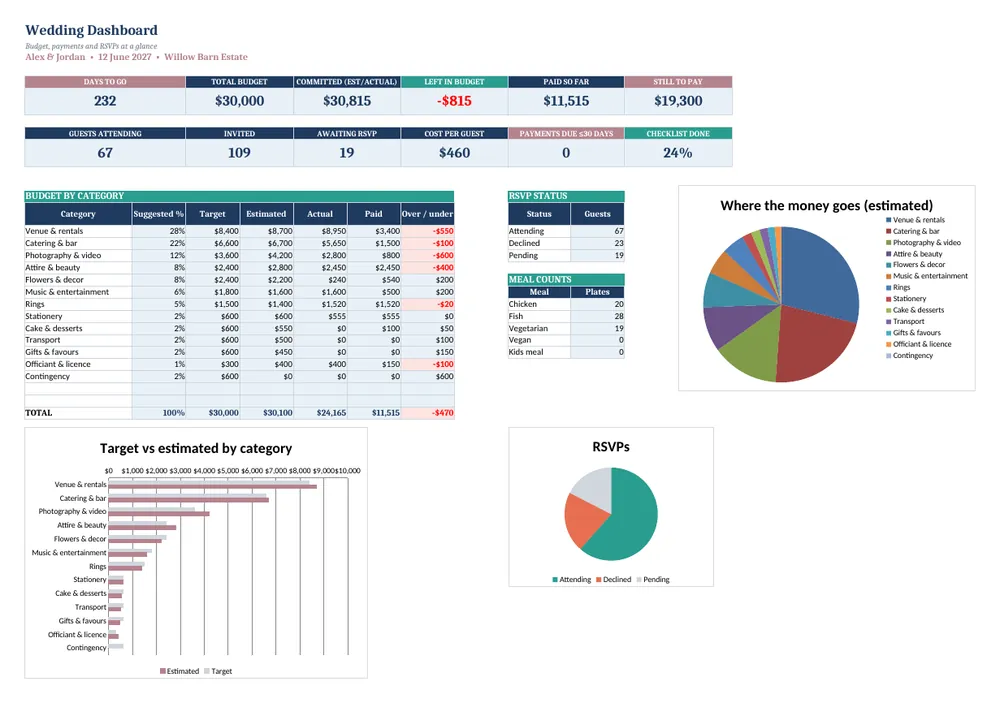
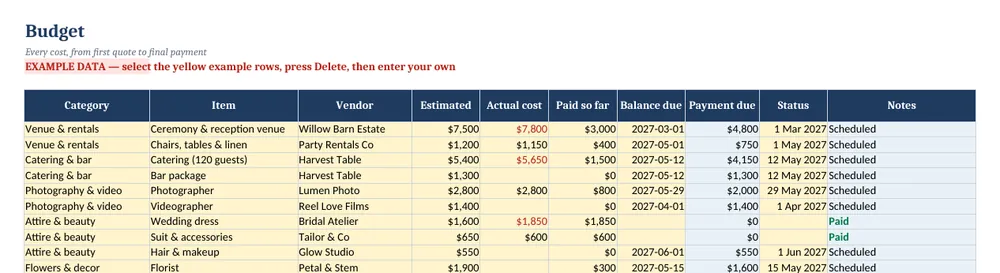
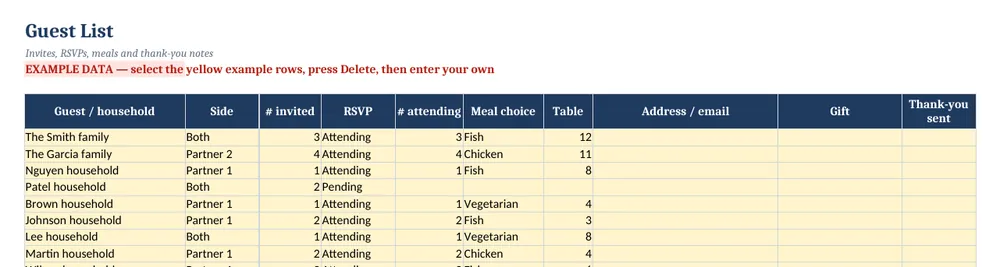
Screenshots show the full Wedding Budget Planner. The free lite version uses the same layout and formulas, with fewer rows and no charts.
What’s in the free template
This free wedding budget spreadsheet is the lite version of our Wedding Budget Planner. It tracks up to 25 budget items with deposits, balances and payment due dates, and includes a guest list for up to 40 households with RSVPs and meal choices.
The download contains these tabs:
- Instructions
- Settings
- Dashboard
- Budget
- Guest List
Yellow cells are your inputs and blue cells are protected formulas, so nothing breaks while you type. Example data is included so you can see the results immediately — replace it with your own numbers when you are ready.
How to use this wedding budget spreadsheet
Set your total budget
On Settings, enter your names, the wedding date and the total budget. Decide who is contributing before you start booking.
Allocate by category
On Budget, list items by category — venue, catering, photography, attire, flowers, music — with an estimated cost. Venue and catering often take around half of the total.
Update as you book
When you sign a contract, enter the actual cost, what you have paid and when the balance is due. Balance due calculates automatically.
Build the guest list
On Guest List, add each household, number invited and RSVP status. Attending counts and meal choices total for your caterer.
Check the summary weekly
The Dashboard compares spending with the budget by category so you can trade off early — cutting guests or upgrading elsewhere.
Tips for better results
- Add a 5–10% contingency line for surprises such as alterations, tips and delivery fees.
- Guest count is the biggest cost lever; every extra guest adds catering, rentals and stationery.
- Put every payment due date in your calendar the day you sign a contract.
Opening the file in Excel or Google Sheets
Microsoft Excel: open the downloaded .xlsx file directly — Excel 2010 or later on Windows or Mac works. If you see a “Protected View” bar, click Enable Editing.
Google Sheets: go to Google Drive, choose New → File upload, then open the file and pick File → Save as Google Sheets so you can edit and share it. LibreOffice / Numbers: open the file as normal. No macros, add-ins or internet connection are needed.
Free lite vs full version
Larger weddings need more room. The full planner tracks 120 budget items and 250 households, adds a 12-month planning checklist and dashboard charts, and includes a quick-start PDF.
| Feature | Free lite | Full version · $12 |
|---|---|---|
| Budget line items: estimated vs actual vs paid | 25 items | 120 items |
| Balance due & payment dates | ✓ | ✓ |
| Guest list with RSVP, meals & table | 40 households | 250 households |
| Budget summary by category | ✓ | ✓ |
| 12-month planning checklist | — | ✓ |
| Dashboard charts | — | ✓ |
| Quick-start PDF guide | — | ✓ |
| Price | Free | $12 one-time |
Instant download. Secure checkout by Lemon Squeezy. Works in Excel, Google Sheets & LibreOffice.
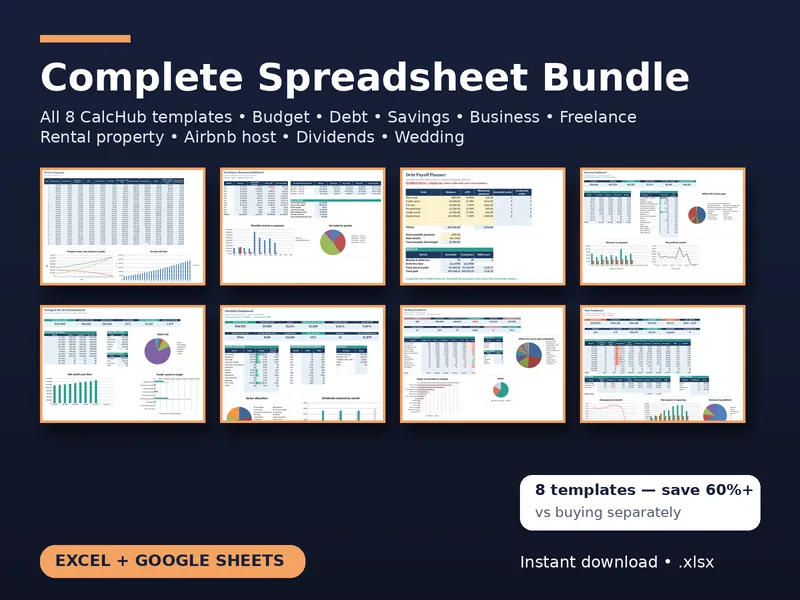
All 8 templates · one download
CalcHub Complete Bundle (All 8 Templates)
$39 $104 one-time · instant download
Every template in one download: budget & debt payoff, savings & net worth, freelancer, small-business bookkeeping, rental property analyzer, short-term rental host, dividend portfolio and wedding budget. Includes 8 quick-start PDF guides and all future updates.
Get the bundle — $39Frequently asked questions
How much does the average wedding cost?
It varies hugely by country, region and guest count. Set your own total first, then use the category split to keep it realistic.
Can two people edit it together?
Yes — upload it to Google Sheets and share it, so both partners (and a planner) can update it.
Is it free?
Yes, with no sign-up. The lite version is limited to 25 budget items and 40 households and has no checklist or charts.