Free spreadsheet template · Excel & Google Sheets
Free Dividend Tracker Spreadsheet
Dividend investing is about the income stream, and most brokerage apps are poor at showing it. A dividend tracker spreadsheet puts your holdings, yields and payments in one place so you can see forward annual income and how it grows over time.
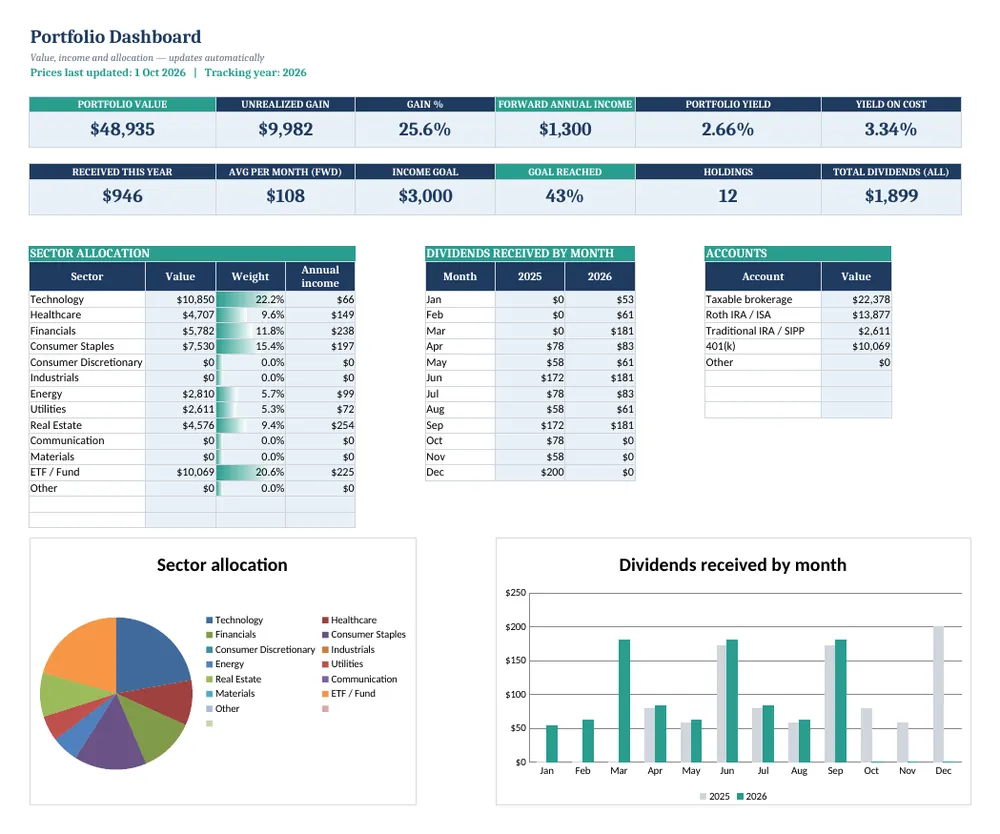
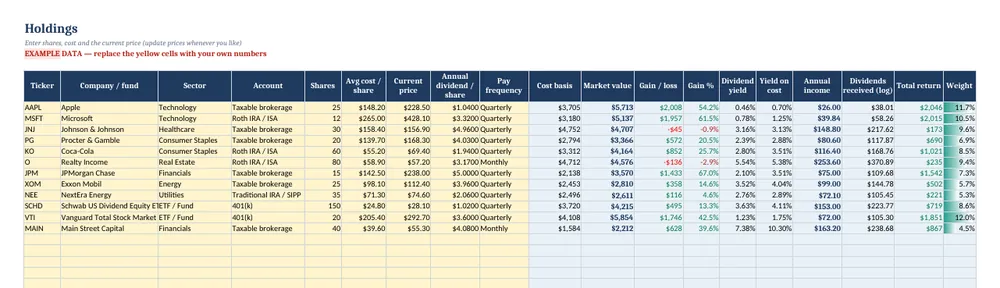
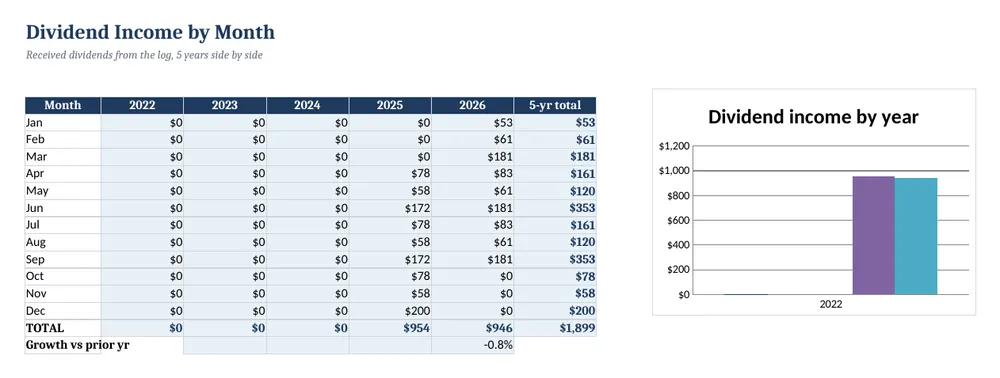
Screenshots show the full Dividend & Investment Portfolio Tracker. The free lite version uses the same layout and formulas, with fewer rows and no charts.
What’s in the free template
This free dividend tracker is the lite version of our Dividend & Investment Portfolio Tracker. It handles up to 10 stocks or ETFs, calculates cost basis, gain or loss, current yield, yield on cost and forward income, and keeps a log of every dividend you receive.
The download contains these tabs:
- Instructions
- Settings
- Dashboard
- Holdings
- Dividend Log
- Dividend Income
Yellow cells are your inputs and blue cells are protected formulas, so nothing breaks while you type. Example data is included so you can see the results immediately — replace it with your own numbers when you are ready.
How to use this dividend tracker spreadsheet
Add your holdings
On Holdings, enter each ticker, name, sector, account, number of shares, average cost and current price.
Enter the annual dividend
Add the annual dividend per share (the latest quarterly dividend × 4 for most US stocks). Yield, yield on cost and forward annual income calculate automatically.
Log payments as they arrive
On Dividend Log, record the pay date, ticker and amount received, and whether it was reinvested.
Review income by month
The Dividend Income tab totals payments by month and year, so you can see your income growing and spot months with no payments.
Update prices occasionally
Update current prices monthly or quarterly. Dividend investors care about income and yield on cost more than daily price moves.
Tips for better results
- Yield on cost (annual dividend ÷ your average cost) shows how dividend growth rewards long-term holding.
- A very high yield can signal a dividend cut risk; check the payout ratio before buying.
- Spread payment dates across months for a smoother income stream.
Opening the file in Excel or Google Sheets
Microsoft Excel: open the downloaded .xlsx file directly — Excel 2010 or later on Windows or Mac works. If you see a “Protected View” bar, click Enable Editing.
Google Sheets: go to Google Drive, choose New → File upload, then open the file and pick File → Save as Google Sheets so you can edit and share it. LibreOffice / Numbers: open the file as normal. No macros, add-ins or internet connection are needed.
Free lite vs full version
Ten holdings suits a starter portfolio. The full tracker covers 60 holdings and 1,000 dividend payments and adds a dashboard with sector and account allocation charts — useful for spotting concentration risk across taxable and retirement accounts.
| Feature | Free lite | Full version · $14 |
|---|---|---|
| Holdings tracked | 10 | 60 |
| Cost basis, gain/loss, yield & yield on cost | ✓ | ✓ |
| Forward annual dividend income | ✓ | ✓ |
| Dividend payment log | 60 rows | 1,000 rows |
| Month-by-month dividend income history | ✓ | ✓ |
| Sector & account allocation charts | — | ✓ |
| Quick-start PDF guide | — | ✓ |
| Price | Free | $14 one-time |
Instant download. Secure checkout by Lemon Squeezy. Works in Excel, Google Sheets & LibreOffice.
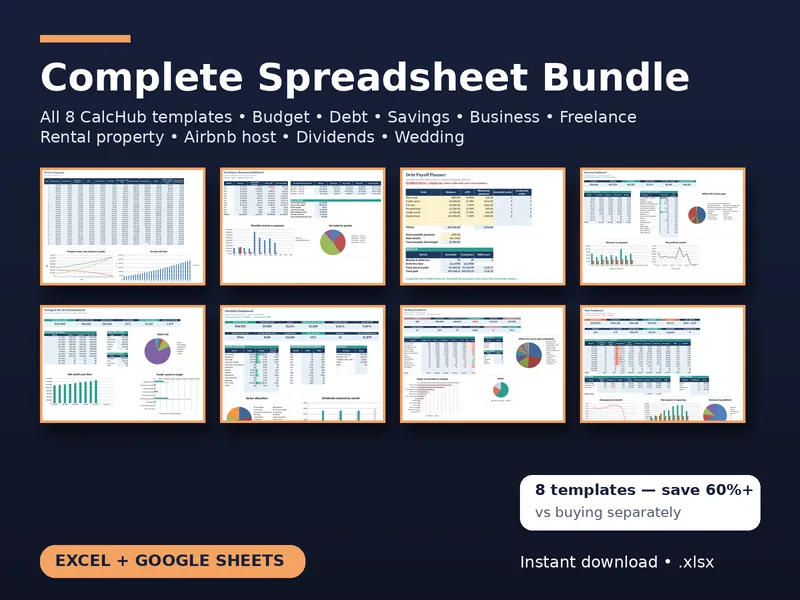
All 8 templates · one download
CalcHub Complete Bundle (All 8 Templates)
$39 $104 one-time · instant download
Every template in one download: budget & debt payoff, savings & net worth, freelancer, small-business bookkeeping, rental property analyzer, short-term rental host, dividend portfolio and wedding budget. Includes 8 quick-start PDF guides and all future updates.
Get the bundle — $39Frequently asked questions
Does it pull live prices?
No. To keep it working in Excel, Google Sheets and LibreOffice without add-ins, prices are entered manually. In Google Sheets you can replace the price cell with GOOGLEFINANCE if you like.
Does it work for ETFs and funds?
Yes. Any holding with a share count, cost and dividend per share works.
Is it free?
Yes, no sign-up. The lite version tracks 10 holdings and 60 payments and has no allocation charts.