Free spreadsheet template · Excel & Google Sheets
Free Savings Goal Tracker Spreadsheet
Big expenses are rarely surprises. Car insurance, holidays, gifts, a new laptop and the emergency fund all arrive on a predictable timeline — which means you can save for them in small monthly amounts instead of reaching for a credit card.
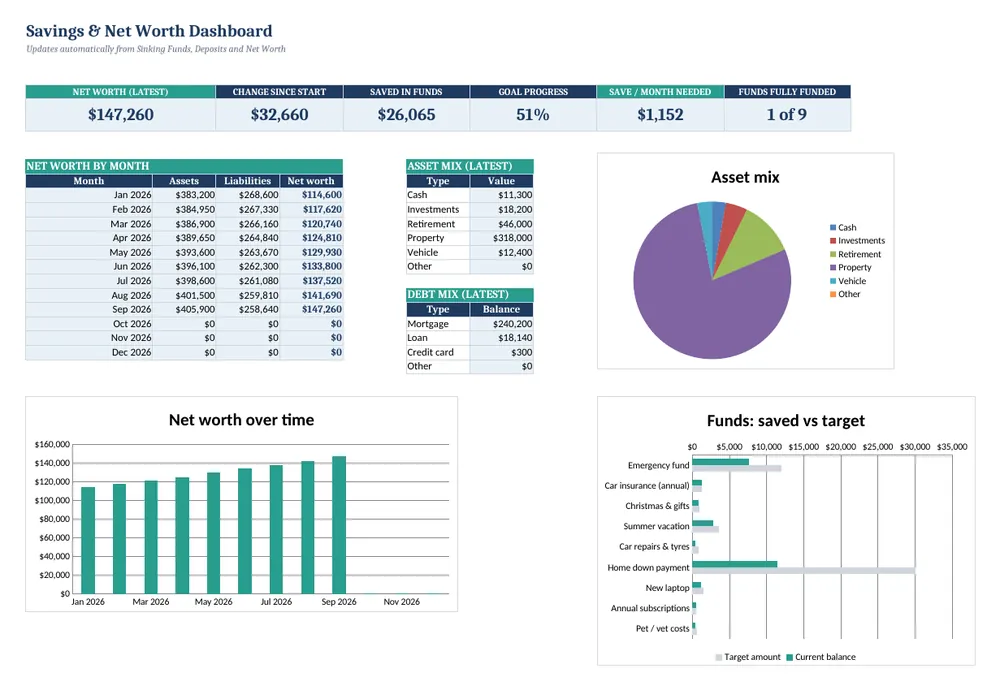
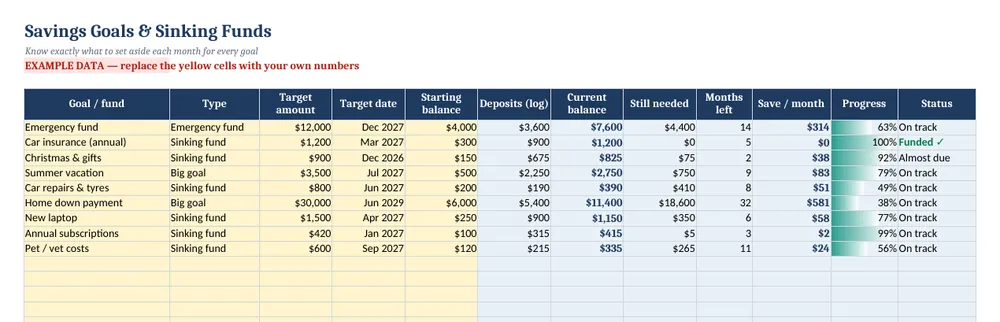
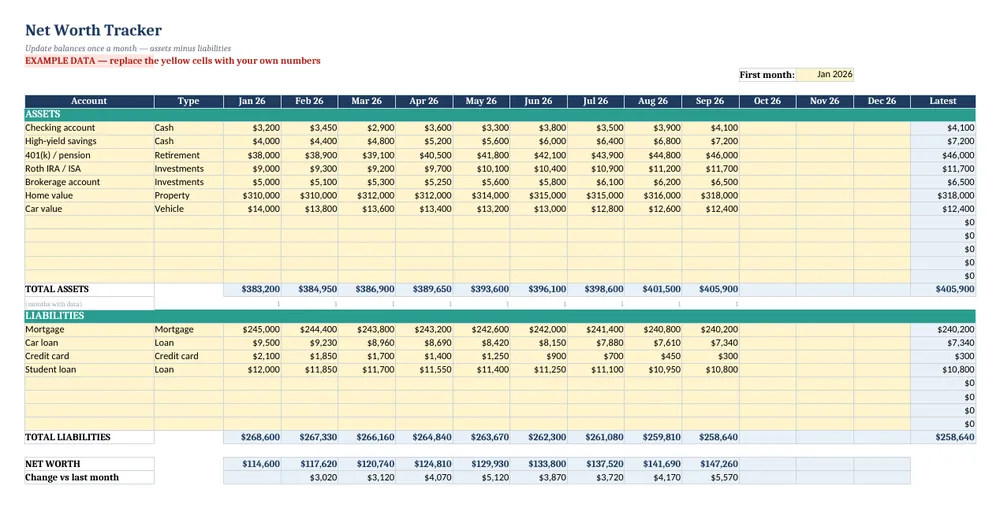
Screenshots show the full Savings Goals, Sinking Funds & Net Worth Tracker. The free lite version uses the same layout and formulas, with fewer rows and no charts.
What’s in the free template
This free savings goal tracker spreadsheet turns each goal into a target, a date and a monthly amount. It is the lite version of our Savings Goals, Sinking Funds & Net Worth Tracker and includes a deposit log and a 12-month net worth sheet.
The download contains these tabs:
- Instructions
- Dashboard
- Sinking Funds
- Deposits
- Net Worth
Yellow cells are your inputs and blue cells are protected formulas, so nothing breaks while you type. Example data is included so you can see the results immediately — replace it with your own numbers when you are ready.
How to use this savings goal tracker spreadsheet
List up to five goals
On Sinking Funds, enter each goal or fund, its type, target amount, target date and current balance.
See the monthly amount
The sheet calculates how much is still needed and how much to save each month to hit the target date, with a status flag if you are behind.
Log deposits and withdrawals
On Deposits, record each transfer into or out of a fund. Balances on the Sinking Funds tab update automatically.
Track net worth monthly
On Net Worth, enter account balances and debts once a month. Net worth and the change since last month are calculated for you.
Automate it
Set up automatic transfers on payday for the monthly amounts the sheet suggests — the spreadsheet then becomes a record rather than a chore.
Tips for better results
- Start with a starter emergency fund of one month of expenses, then build towards three to six months.
- A sinking fund for annual bills smooths your budget: divide the yearly cost by 12 and save that every month.
- Net worth rising slowly but steadily is a better sign than a single big jump.
Opening the file in Excel or Google Sheets
Microsoft Excel: open the downloaded .xlsx file directly — Excel 2010 or later on Windows or Mac works. If you see a “Protected View” bar, click Enable Editing.
Google Sheets: go to Google Drive, choose New → File upload, then open the file and pick File → Save as Google Sheets so you can edit and share it. LibreOffice / Numbers: open the file as normal. No macros, add-ins or internet connection are needed.
Free lite vs full version
Five goals is plenty to start, but most households end up with more. The full tracker handles 25 goals and 600 deposits and adds a dashboard with progress bars and charts for net worth and savings.
| Feature | Free lite | Full version · $11 |
|---|---|---|
| Savings goals & sinking funds | 5 goals | 25 goals |
| Automatic “save per month” & status | ✓ | ✓ |
| Deposit / withdrawal log | 60 rows | 600 rows |
| 12-month net worth tracker | ✓ | ✓ |
| Dashboard totals | ✓ | ✓ |
| Dashboard charts & progress visuals | — | ✓ |
| Quick-start PDF guide | — | ✓ |
| Price | Free | $11 one-time |
Instant download. Secure checkout by Lemon Squeezy. Works in Excel, Google Sheets & LibreOffice.
All 8 templates · one download
CalcHub Complete Bundle (All 8 Templates)
$39 $104 one-time · instant download
Every template in one download: budget & debt payoff, savings & net worth, freelancer, small-business bookkeeping, rental property analyzer, short-term rental host, dividend portfolio and wedding budget. Includes 8 quick-start PDF guides and all future updates.
Get the bundle — $39Frequently asked questions
What is a sinking fund?
Money you set aside a little at a time for a known future expense, such as insurance, holidays or car maintenance.
Do I need separate bank accounts?
No. Many people keep all sinking funds in one savings account and use the spreadsheet to track how much belongs to each goal.
Is it free?
Yes, with no sign-up. The lite version is limited to 5 goals and 60 deposit rows and has no charts.